Compare runs: --compare
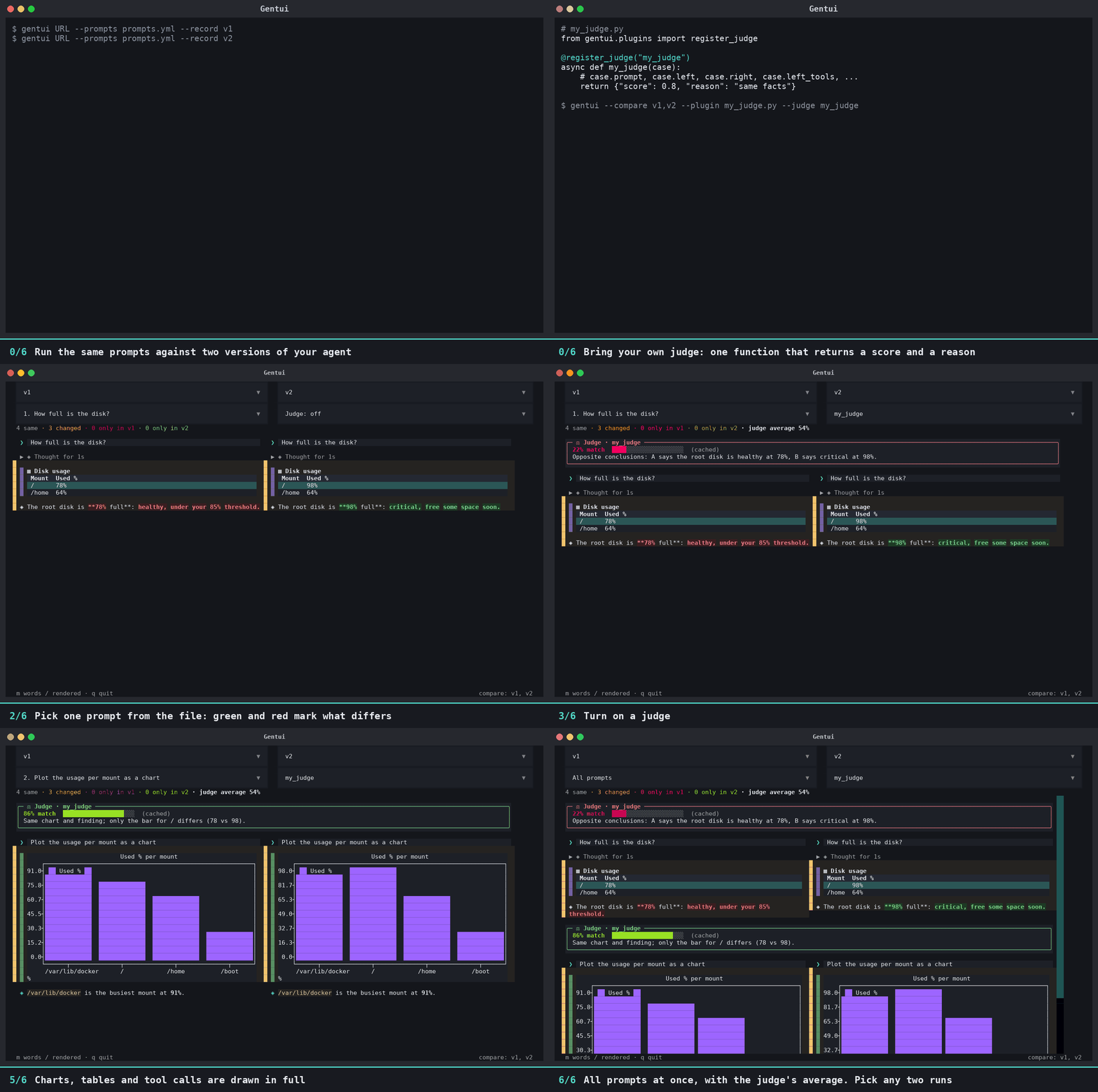
Record the same prompts against two versions of an agent (a new system prompt, a different model), then diff them:
gentui URL --prompts prompts.yml --record v1
gentui URL --prompts prompts.yml --record v2      # after changing the agent
gentui --compare v1,v2                            # no backend needed
--compare takes two or more recorded sessions. It opens a view with two boxes, each with a drop-down to choose which
recording it shows (list as many as you like and switch between them). The two are lined up block by block (your prompts,
each answer, each tool call) and drawn in full: streamed Markdown, command output, tables, charts and the plan.
| Colour | Meaning |
|---|---|
| green bar and tint | only in the right-hand session |
| red bar and tint | only in the left-hand session |
| yellow bar and tint | in both, but different (a changed answer, other arguments, another tool result) |
| none | identical |
A third drop-down, "All prompts", lists each prompt from the prompts file ("1. What are the 5 largest…"). Pick one to see only that prompt's exchange, side by side.
Changed answers and prompts are shown word by word (red words are only on the left, green only on the right). Press m to
switch them to the rendered Markdown instead. A line under the drop-downs counts same / changed / only-in-each. Reasoning
blocks are shown but never counted as a difference. q quits.
Export the results
Press e in the compare view to save the comparison as one HTML page, compare-<left>-vs-<right>.html in the current
folder (an existing file is never overwritten: you get -1, -2...). Without opening the UI:
gentui --compare v1,v2 --export report.html                       # the diff only
gentui --compare v1,v2 --judge ollama:gpt-oss:120b-cloud --export report.html   # judge every prompt first
The page shows what the compare view shows, for all prompts: the judge's panel (score, bar and comment) on top of each prompt, then both sides' answers, tool calls, tables, command output and plans. Every chart is included, drawn as inline SVG (bar, line, scatter and histogram). Changed blocks are tinted (green only on the right, red only on the left, yellow changed), and changed text is marked word by word, with the rendered Markdown a click away. It is a single file with no scripts and nothing loaded from the web, follows your light or dark setting, stacks on a phone and prints cleanly. Anything in an answer that looks like HTML is escaped, never run.
Pressing e while a judge is still working exports the verdicts that have arrived; the notice says so. --export waits for
all of them.